
How Organisations Use the Goloka Wallet
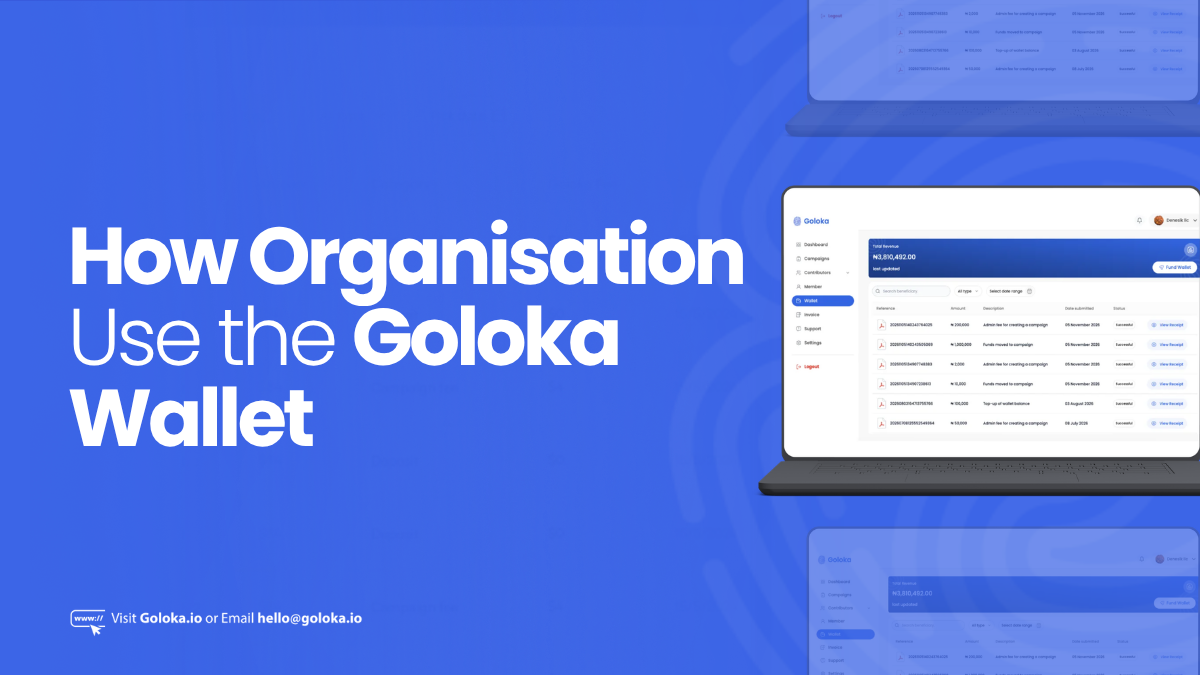
Managing payments smoothly is one of the most important parts of running campaigns on Goloka. The Goloka Wallet for organisations is a secure digital wallet that makes it easy for organisations to securely add funds, pay for surveys, and keep track of every transaction in real time. Instead of handling payments campaign by campaign, the Wallet brings everything into one place, saving time and ensuring transparency.
1. What is the Wallet?
The Goloka Wallet is a secure payment system built into your organisation’s account. It allows you to fund campaigns quickly, manage expenses, and track all transactions in one place.
2. Why it Matters for Organisations
The Goloka Wallet is a key part of how organisations interact with Goloka. It ensures campaigns are funded on time and contributors are paid for their work without delays.
Key benefits include:
- Fast campaign funding without waiting for external processing.
- Multi-currency support (Naira ₦, Dollar $), with more to come.
- Full transparency through transaction history.
- Secure transactions powered by Paystack and trusted gateways.
3. Step-by-Step: Funding and Using the Wallet
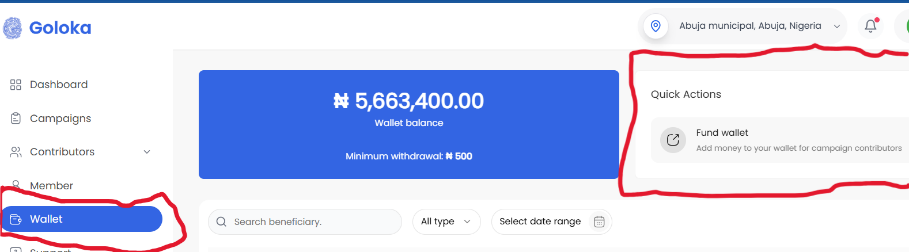
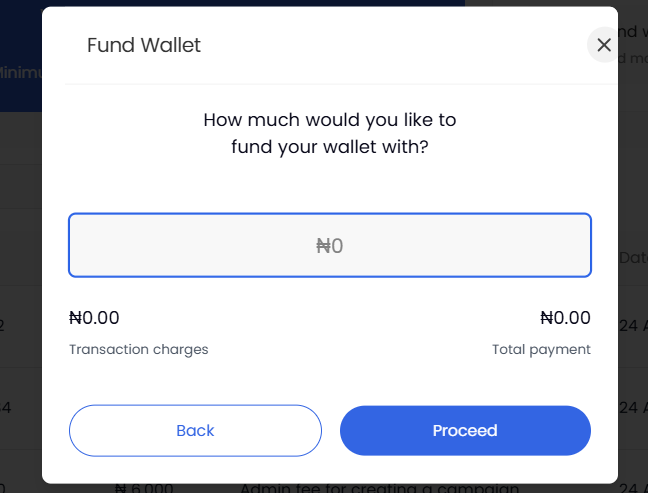
Step 1: Fund Your Wallet
- Go to Wallet → Fund Wallet.
- Choose your payment method (Card, Bank Transfer, or USSD code).
- Enter the amount and confirm.
Step 2: Pay for Campaigns
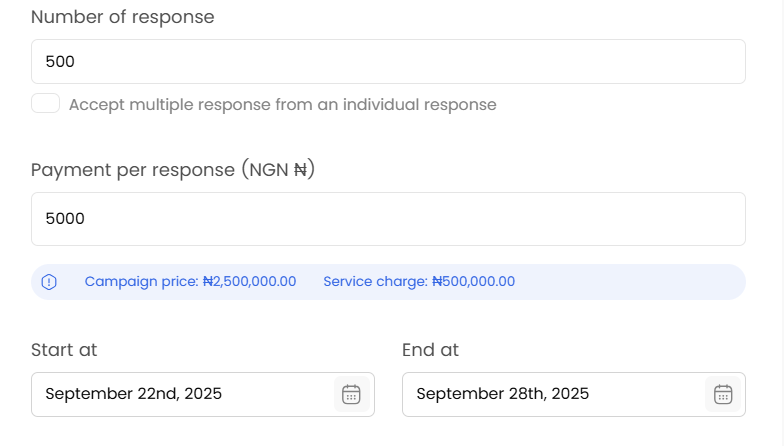
- When creating or editing a campaign, set the fee per response.
- View the total campaign cost.
- The cost will be deducted automatically from your wallet once the campaign starts running.
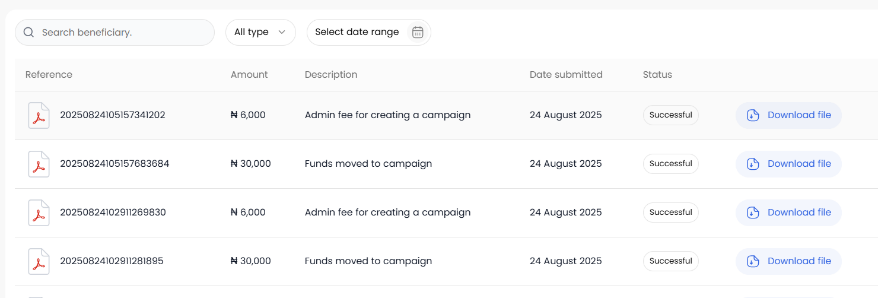
Step 3: Track Your Payments
- Go to Wallet → Transaction History.
- Review all funding, deductions, and refunds in one place.
4. Tips for Smooth Use
- Keep your wallet funded before launching campaigns.
- Use the transaction history for clear expense reporting.
- Fund in advance for large campaigns to avoid interruptions.
5. Frequently Asked Questions
Can I fund my wallet in USD?
Yes. The wallet supports both Naira (₦) and Dollar ($). More currencies will be added over time.
Are there extra fees?
Standard payment gateway charges may apply when you fund your organisation’s wallet. There are no extra hidden charges from Goloka.
What happens if my wallet runs low?
If your wallet balance is low, you’ll need to add funds before new or ongoing campaigns can continue. This ensures smooth campaign delivery and uninterrupted data collection.
6. Contact/Support
If you need help with your wallet or payments, contact us at hello@goloka.io or call +234 (811) 666 5321